Change Settings |
  
|
Change Settings |
|
1.In Excel, open MW6_QRCode_Win32.XLS.
2. Click on "Tools" > "Macro" > "Macros", select "MW6_QRCode_Win32_Setup".
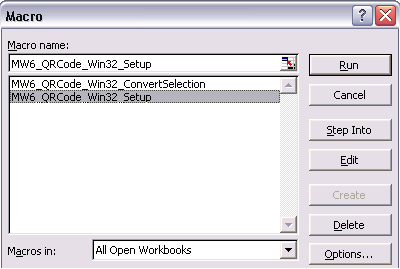
3. Click on "Run".
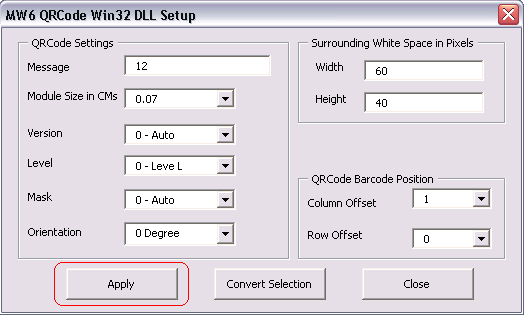
4. Choose a few appropriate values for QRCode configurations, click on "Apply" button to allow the changes to take effect, "Column Offset" and "Row Offset" are used to specify QRCode barcode position relative to the position of the cell which contains the regular string.