Mail Merge |
  
|
Mail Merge |
|
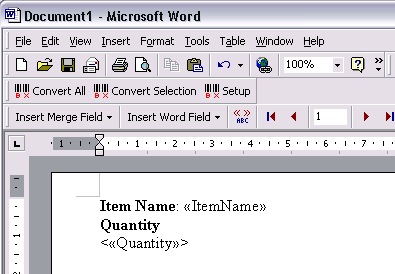
1.In Mail Merge, choose MW6_Barcode_ActiveX.mdb as the data source, surround the strings which will be converted to the barcodes with the "<" and ">" characters.
2. Click on "Merge to New Document".

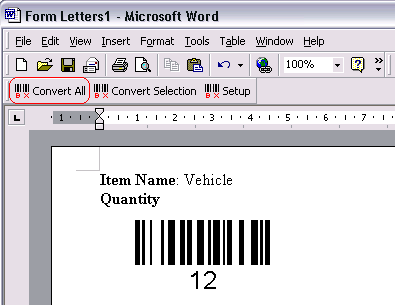
3. Click on "Convert All" to create the barcodes for the strings surrounded with the "<" and ">" characters.